

Documentation Index
Fetch the complete documentation index at: https://docs.benchgen.com/llms.txt
Use this file to discover all available pages before exploring further.
Using Topic Templates
Topic Templates accelerate consistent Topic creation by providing pre‑filled classification, scope, and instruction patterns for common domains.When to Use a Template
| Use a Template If | Reason |
|---|---|
| Pattern is common (FAQ search, order status, quiz) | Reduces drafting time |
| You want naming & scope conventions | Promotes internal standards |
| Team members vary in experience | Templates ensure baseline quality |
| Rapid prototyping / demo | Faster than manual authoring |
Benefits
- Curated instruction set (fewer omissions)
- Consistent trigger phrasing & scope boundaries
- Faster experimentation across multiple agents
- Easier peer review (shared structure)
How to Apply a Template
- Open your Agent → Topics → Create New Topic
- Click Add from Asset Library
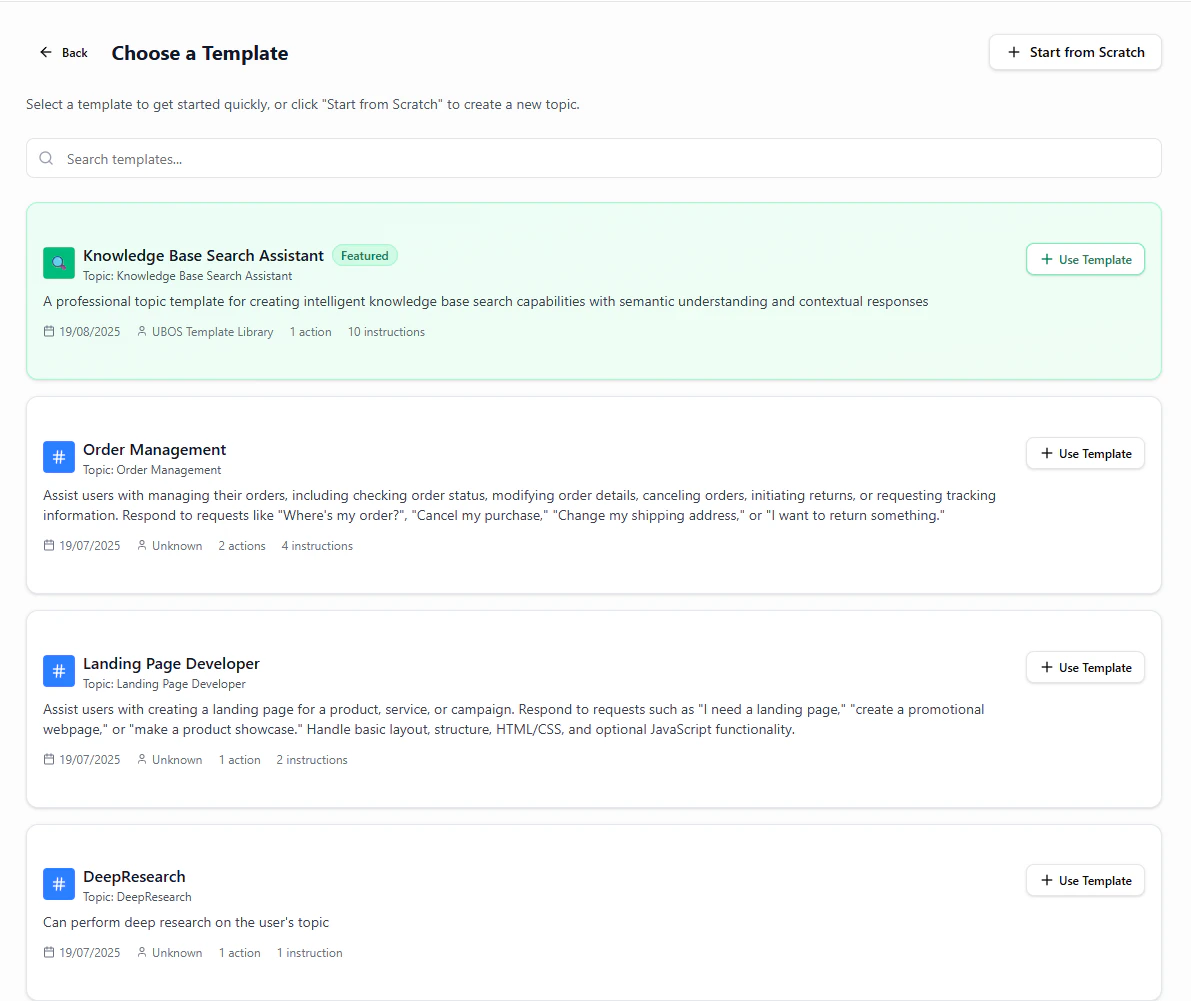
- Browse or search keywords (e.g.,
search,quiz,orders) - Preview template details (label, classification, scope, instructions)
- Click Use Template
- Adjust fields:
- Ensure API name uniqueness
- Tighten/extend scope boundaries
- Remove irrelevant instructions
- Add organization/compliance constraints
- Save the Topic
Template Gallery Preview
Good Practice After Import
- Run 3 test prompts that SHOULD classify
- Run 2 that should NOT classify (negative tests)
- Version the template if heavily customized
Common Mistakes
| Mistake | Impact | Fix |
|---|---|---|
| Leaving vague scope | Misclassification | Add exclusions & concrete verbs |
| Not pruning unused instructions | Confusion / drift | Remove irrelevant rules |
| No compliance guardrail | Risk exposure | Add explicit prohibition rule |
Done. You can now leverage templates to deliver consistent, high-quality Topics faster.